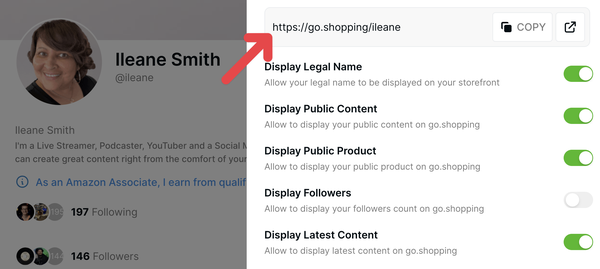
Without these four (4) essential steps, you won’t be set up to get paid, and therefore won’t get paid from LOGIE. But. There are two more things to do.
5- Add your shipping address to get sample
products.
6- Put in your payment information (use the same checking account as Amazon uses to pay you).
LOGIE Strategy for Increasing Sales
Make content and take action
to gain sales results. But you do need to have a strategy. Start with getting set up correctly with LOGIE with the 4 + 2 Steps reviewed above.
Making sales on LOGIE for Amazon influencers means you have the advantage of shoppable video pages. So, make videos. Focus on Shoppable Videos because they are your best source of sales, especially if you aren’t huge on other social
channels. LOGIE users are also offered “Opportunities” for up to 50% commission on top of your Amazon commission for promoting certain products.
Think of Amazon Shoppable Videos as giving you an untapped and built-in extremely large audience. Plus, Amazon pushes them out, helping you gain further reach and views. Amazon's traffic power is (generally) bigger than our own via social
media, blogs, or whatever, right?
Looking for products with room for you to get into the top video carousel with your video is important to help you get traction and not have to compete with a bunch of influencer videos, for example. Look for sales to see how a product is doing. See if there are recent reviews and how many, then you can gauge how an item is
selling. Is it over or chugging along?
Promoted items that are in the LOGIE catalog offer another signal that something is selling, getting promotion behind it, and likely has some market demand. See if you can double up by making a comparison with a similar item, and you may end up with sales from both!
Comparison videos as well as unboxings are popular and stimulate sales for you. Remember, Amazon as your video platform for Amazon sales, is the stop closest to the buy. Serving Shoppable Videos means hitting bottom-of-the-funnel buyers just itching to push the button right on a shopping platform. Bamm.